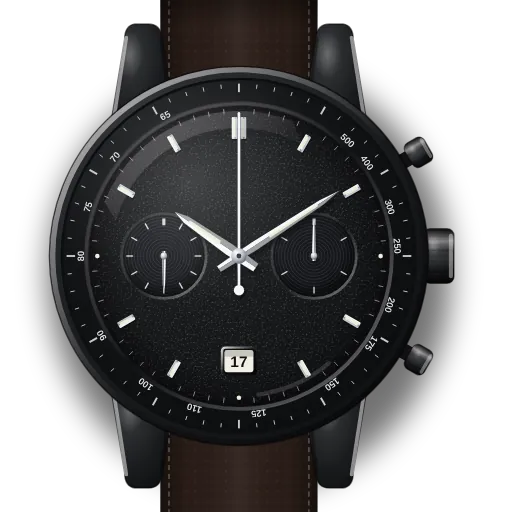
How to set up the Omega Speedmaster Dark Side of the Moon (calibre 9300)
Short answer: Pull the crown to position 2 and turn it. The hour hand jumps in one-hour steps and the date follows each time it passes midnight. Then pull to position 3, where the seconds stop, to set the minutes. It is self-winding, but give it a few turns if it has been off the wrist for more than 60 hours.
Speedmaster Dark Side of the Moon at a glance
| Reference | 311.92.44.51.01.003 |
|---|---|
| Case | 44.25 mm black ceramic |
| Calibre | 9300, automatic, co-axial, about 60 hours of power reserve |
| Crown | Three positions: 1 = winding, 2 = hour hand in 1-hour jumps (time zone and date), 3 = time with stop-seconds |
| Date | No separate quick-set. The date moves when the hour hand passes midnight. |
| Chronograph | Minutes and hours share one sub-dial at 3 o'clock. Small seconds at 9. |
What do you need to set on the Speedmaster Dark Side of the Moon?
Reset chronograph hands on the Omega Speedmaster Dark Side of the Moon
- 1
Check: is the chrono stopped?
Top pusher starts and stops. Bottom resets, but only when stopped.
- 2
Still not at zero? Service
On this mechanical movement the hands are reset by internal cams. There's no user re-alignment, so an authorised service centre needs to fix it.
Pressing pushers in other crown positions won't help, and can cause damage.
Set up the date on the Omega Speedmaster Dark Side of the Moon
- 1
Pull to position 2
The hour hand now jumps in 1-hour steps. The watch keeps running.
- 2
Step the hour hand past midnight
Each pass of midnight moves the date one day. Turn forwards or backwards.
Going backwards over midnight? Wind back past 7 pm so the date jumps fully. - 3
Then step to your local hour
Still at 2: put the hour hand on the current hour.
- 4
Push the crown in
Back to 1.
Set the 24-hour / GMT hand on the Omega Speedmaster Dark Side of the Moon
- 1
Pull to position 2
The hour hand jumps 1 h per click. Minutes and seconds are untouched.
- 2
Step to the new local hour
Turn forwards or backwards. The date follows over midnight.
- 3
Push the crown in
Back to 1.
Set the time on the Omega Speedmaster Dark Side of the Moon
- 1
Pull to position 3
The seconds hand stops.
- 2
Set the time
Turn either way. Push to 1 on the time signal.
Start a stopped watch on the Omega Speedmaster Dark Side of the Moon
- 1
Wake it up
Self-winding. If it's been off the wrist 60+ hours, turn the crown (position 1) a few times.
- 2
Pull to position 3
The seconds hand stops.
- 3
Set the time
Turn either way. Push to 1 on the time signal.
What owners run into
- There's no direct date quick-set, which surprises owners. Step the hour hand round at position 2: each pass of midnight is one day.
- Going back a day? Turn the hour hand back past about 7 pm so the date drops fully.
- Position 2 doesn't stop the watch or touch the minutes, so it's the quick way to change time zone while travelling.
How the Speedmaster Dark Side of the Moon differs from similar watches
Shares its crown logic with the hand-wound Speedmaster '57 (9906). The 9300 winds itself. Unlike the Moonwatch, it has a date, a jumping hour hand and three crown positions.
Quick answers
How do I change the date on the Dark Side of the Moon?
Crown to position 2, then step the hour hand forwards through midnight once per day.
How do I change time zone on a Speedmaster 9300?
Crown to position 2 and turn. The hour hand jumps an hour at a time without stopping the watch.